This release adds Microsoft Teams meetings and reminders to Calendar, updates time recording, and introduces Client exports with related Contacts in Excel, along with improvements to the Outlook add-in, Tasks, Cost, and timesheets.
Connect Microsoft Teams meetings with your work in Calendar
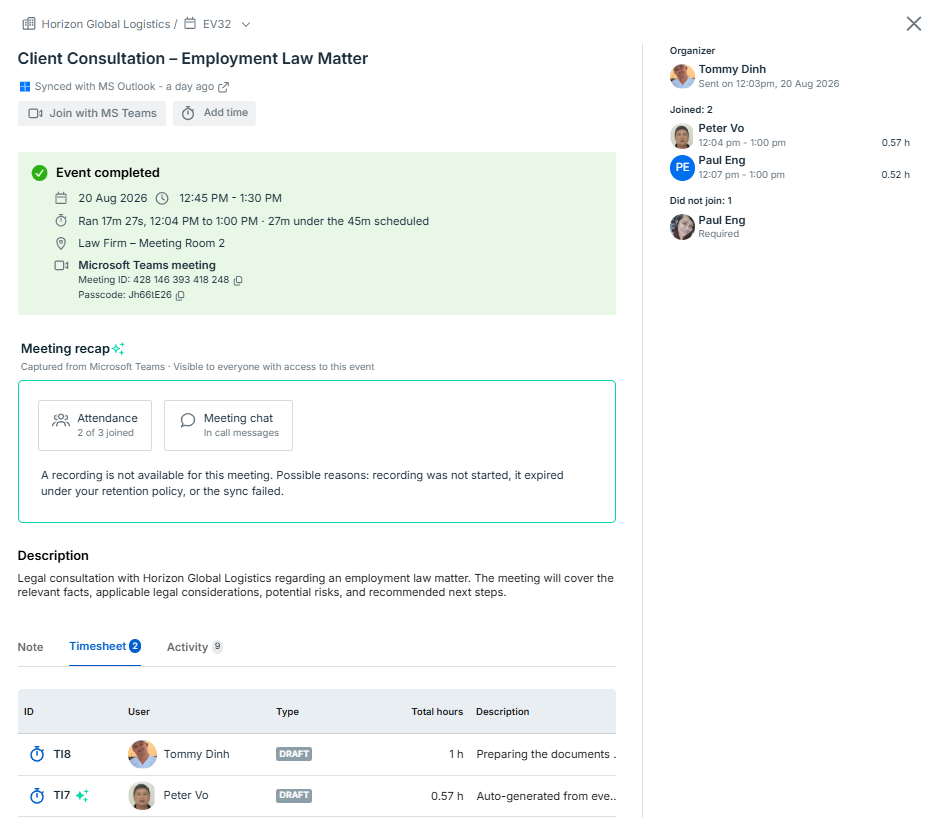
Microsoft Teams meetings can now be created from bilabl events, with related information available from the event after the meeting.
Create and join Microsoft Teams meetings directly from bilabl events. Meetings sync with your Teams calendar.
Review available meeting information, including attendance, meeting chat, and recording information, from the event after the meeting ends.
Draft timesheet records are automatically created based on meeting attendance and participation time.
Event reminders help you track important dates and upcoming tasks in Calendar.
You can use reminders for events such as meetings, deadlines, contract renewal dates, client follow-ups, and other dates that need attention.
Set a reminder for an event and choose how far in advance to be notified.
Receive reminders through in-app notifications, email, or both.
For all-day events, reminders are based on 8:00 AM on the event date in your time zone.
To learn more about Calendar and reminders: Events
Update time recording for more flexibility
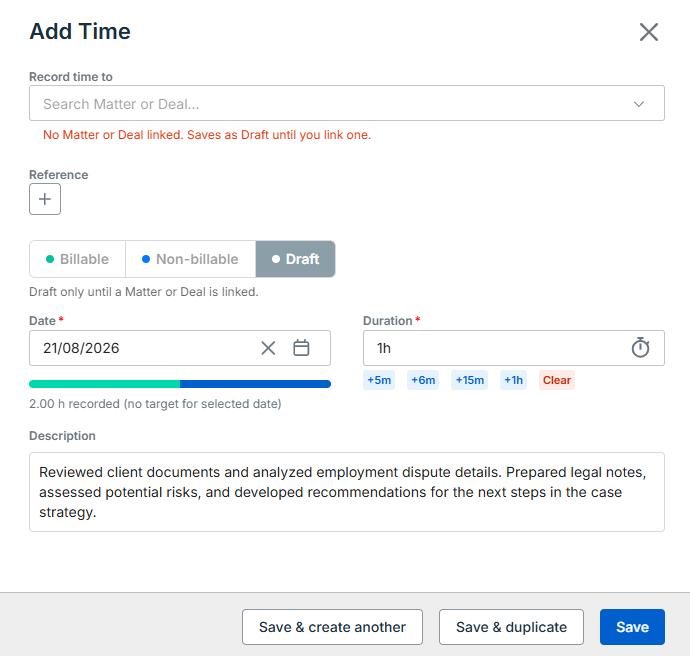
The Add Time form has been updated with new time record statuses and more flexibility when linking time records to Events and Tasks.
You can now mark a time record as Billable, Non-billable, or Draft. Use Draft when you have not decided which record the time should be linked to yet and want to update it later.
Time records created automatically from Teams meeting attendance start as Draft.
You can now link a time record to an Event as well as a Task, using the Reference field.
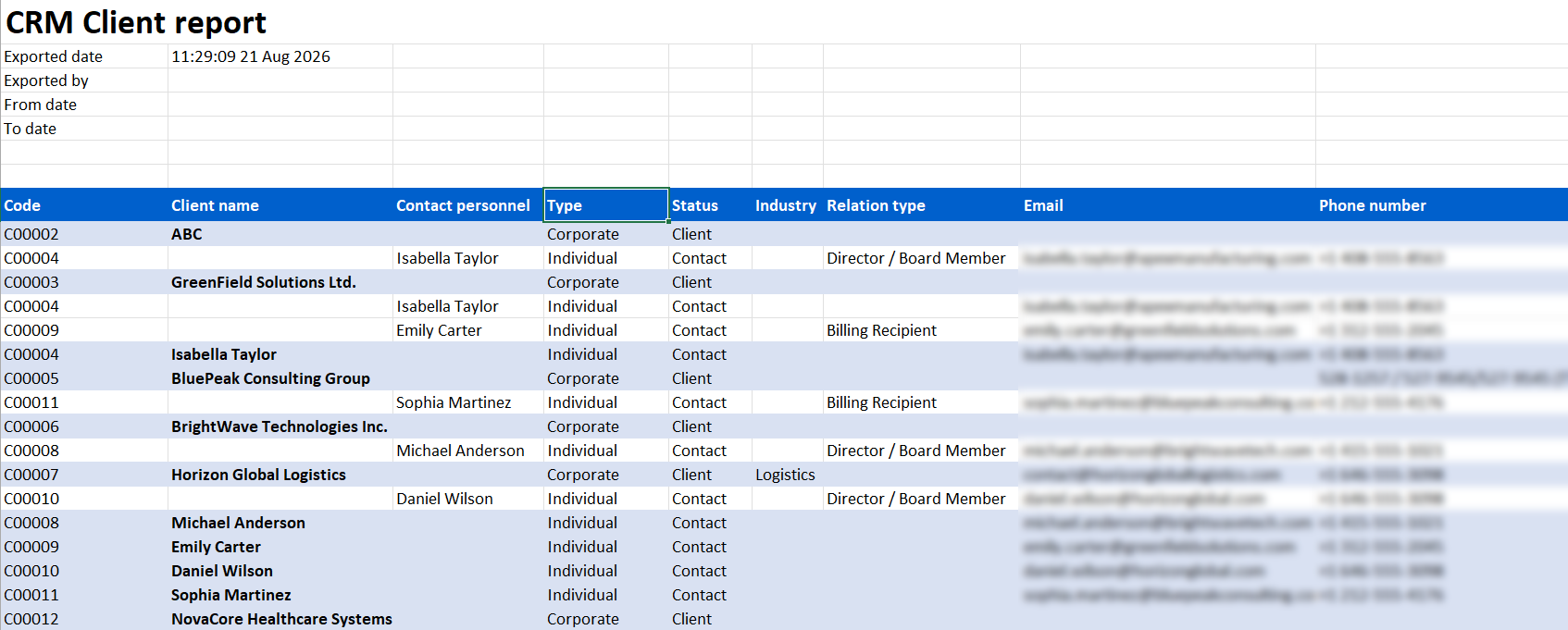
Export Clients and Contacts together
Client exports now include related Contacts, allowing you to export client and contact details together in one Excel file, including each contact’s relationship to the Client. You can export from any Client view, including Assigned to me, Assigned to my team, and custom views.
Additional improvements
Outlook add-in: Create an event in Outlook and sync it to bilabl. You can link the event to a Client, Matter, or Deal, and bilabl adds it to that record's calendar. Sync is one-way, from Outlook to bilabl. Updates, completion, and cancellation in Outlook sync to bilabl, while changes made in bilabl do not sync back to Outlook.
Tasks: grouping Tasks by due date now includes a Today section.
Client table: a new Job Title column is available.
Add Cost: a new Reference No. field lets you record a billing statement number, receipt number, or other reference. The Reference No. is searchable in the Expense table and available as a billing token, so it can appear in disbursement narratives on your billing.
Timesheet: the Billable as fixed cost type now sits under Billable in timesheet filters and columns, so you can filter and total all billable time under one billing type.
We’re here to help.
If you have any inquiries about our products or features, please do not hesitate to contact our support team at support@bilabl.io.
Thank you for choosing bilabl.
Subscribe to newsletter
Subscribe to receive the latest blog posts to your inbox every week.
Thank you! Your submission has been received!
Oops! Something went wrong while submitting the form.
By subscribing you agree to with our Privacy Policy.