This release introduces Compliance Status for Clients and Matters, an updated SharePoint integration, a new Calendar widget, and AI Connect (Beta). It also includes improvements to Billing Statements, Cost imports, matter codes, the People table, and the Partner API.
Work with your bilabl data from your AI assistant (Beta)
Ask a question and get the answer from your bilabl data. Describe your day and have your time recorded. AI Connect lets the AI assistant your firm already uses, such as Claude, look up and enter information in bilabl for you.
Find information faster: ask about your Clients, Contacts, Matters, Intakes, Tasks, time records, and billing, and get the answer without searching through bilabl yourself.
Spend less time on data entry: describe what you need in plain language, and your AI assistant creates or updates Clients (Corporate or Individual), Contacts, Matters, Intakes, Tasks, and time records directly in bilabl for you.
Stay within your permissions: the AI assistant works as the signed-in user and can only see and do what that user can in bilabl.
AI Connect is available in Beta to selected firms. Contact our support team at support@bilabl.io to enquire about participating.
Track conflict check, AML/KYC, and onboarding status on Clients and Matters
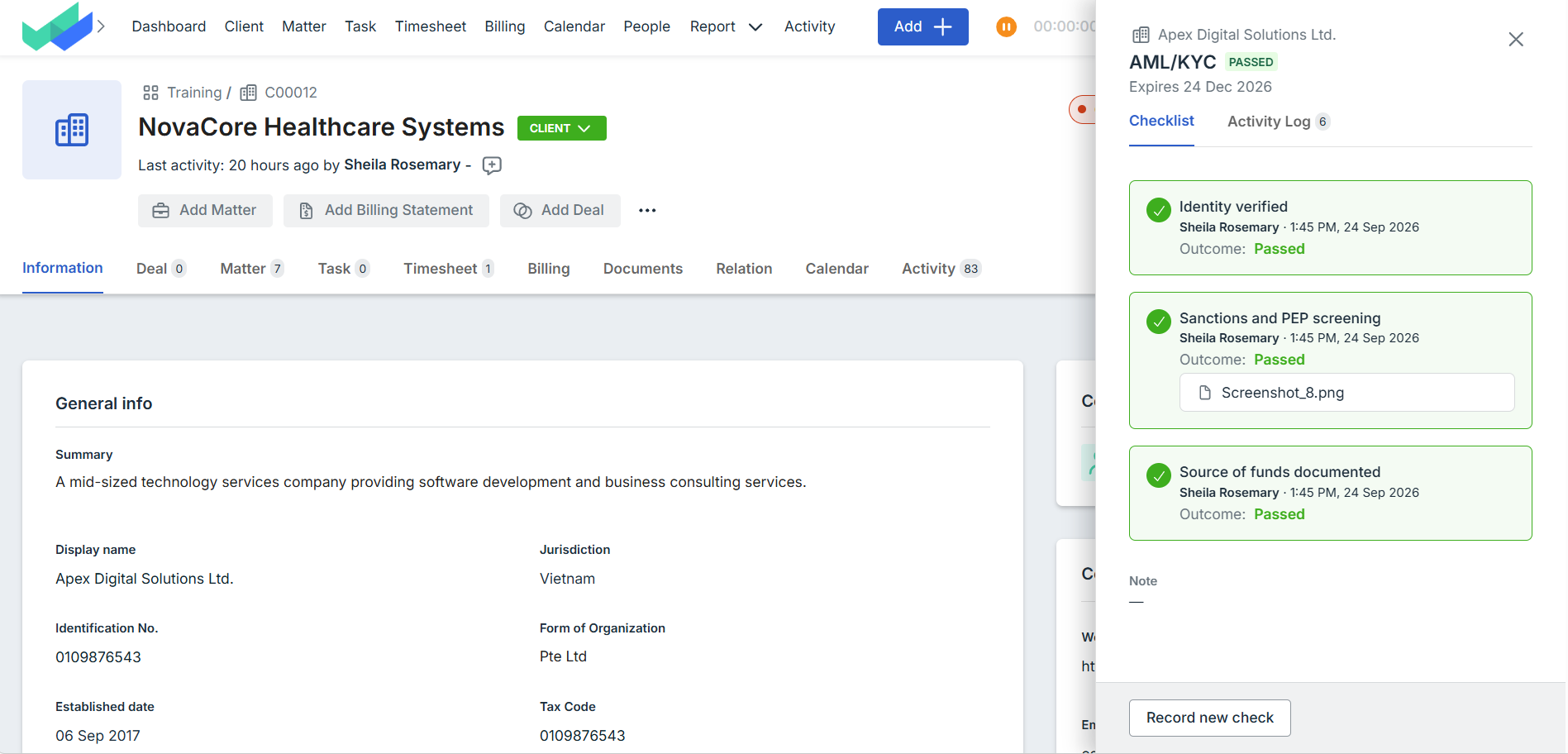
Before work starts on a new client or matter, your firm needs to know the required checks are done. Compliance status puts that answer on the Client and Matter in bilabl, instead of in spreadsheets and email threads.
See status on the record: whether a Client or Matter has completed its checks shows directly on the record.
Manage checks at the Client level: AML/KYC and Onboarding are run on the Client, and their status shows on every Matter under it, so you do not repeat them for each Matter. Conflict check is run for each Client and each Matter.
Follow your own process: AML/KYC and Onboarding are default names that you can rename, and you set the steps, how long a result stays valid, and who can perform or waive each check.
Keep an audit trail: every check records who completed or waived it, when, and the evidence behind it, so you have an answer ready when a client, insurer, or regulator asks.
Get expiry reminders: bilabl sends a reminder 30 days before a check expires and again on the expiry date.
Compliance status is available for firms on the PRO plan. Contact your bilabl administrator to enable it.
Updated SharePoint integration with enhanced security and access control
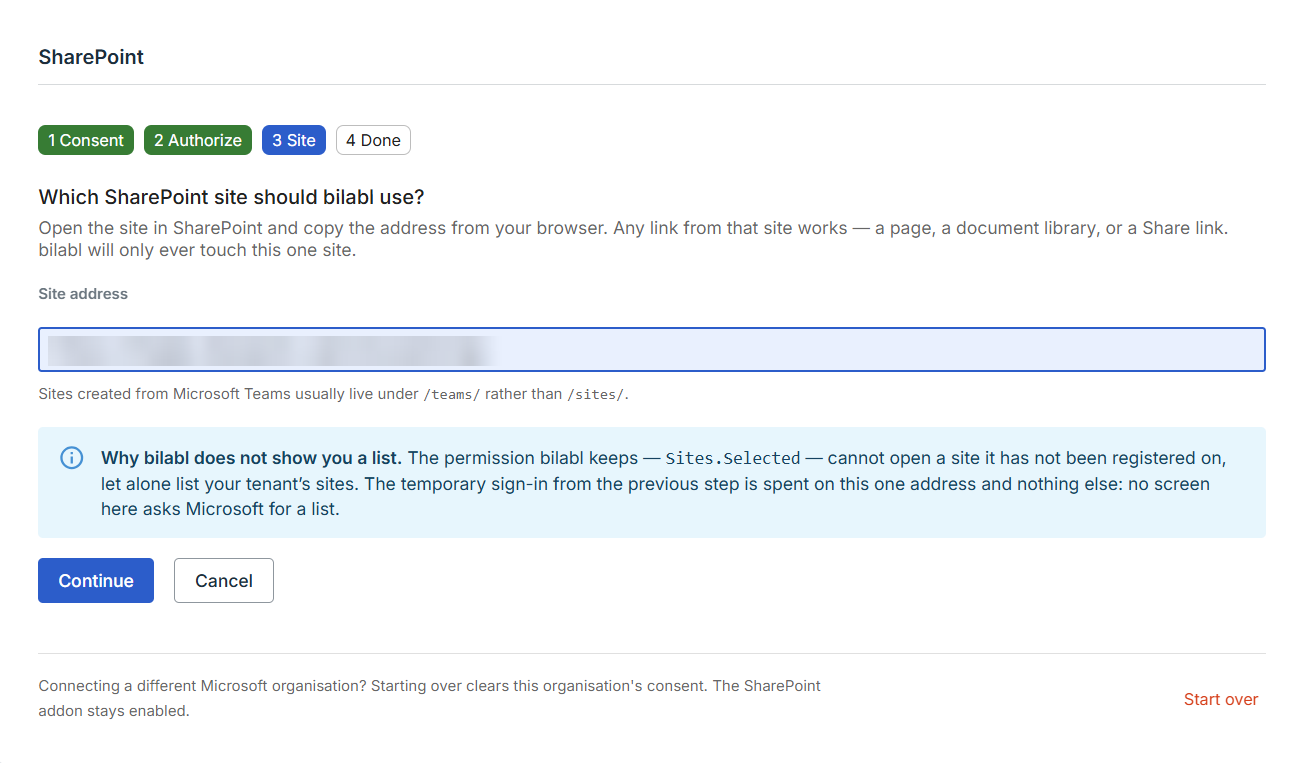
The new version of the SharePoint integration strengthens security, with tighter permissions and better control over how access is managed between bilabl and your firm's SharePoint. You can see which site is connected and change it or disconnect at any time, without deleting or moving any documents. Folders for Clients, Matters, and Intakes continue to work as before, and if your firm is already connected to SharePoint, your current connection stays unchanged.
See upcoming events on your Dashboard and receive event invitations by email notification
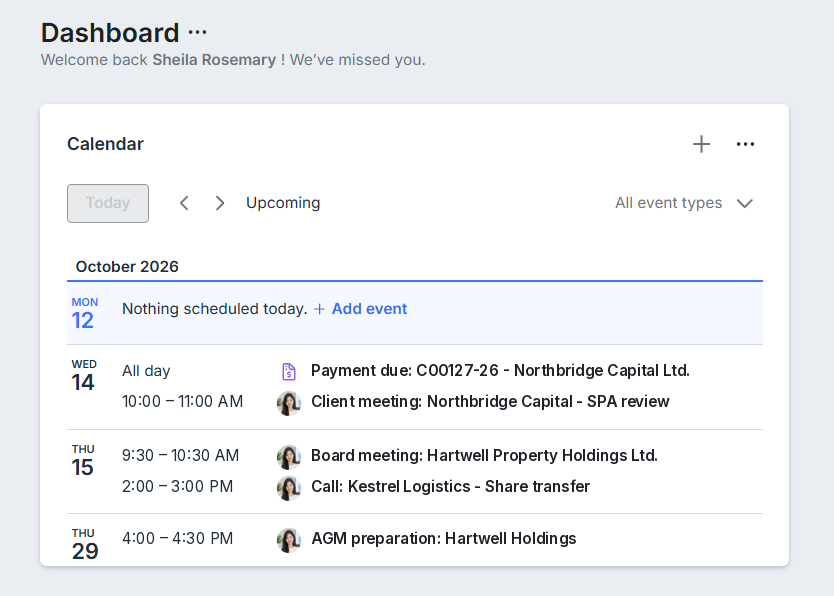
Your schedule is now on the first screen you work from. The new Calendar widget shows what is coming up without opening Calendar, and event invitations now reach your inbox as well.
View upcoming events: See your upcoming events directly on your Dashboard without opening Calendar menu.
Manage events from your Dashboard: Add events directly from the widget and choose which calendars to display without changing your Calendar page.
Receive event invitations by email: When someone adds you to an event, you also receive an email with the event details, including a Microsoft Teams join link when available.
The Calendar widget is added to the Dashboard for new users. Existing users can add it when editing their Dashboard.
Billing Statement table: Use the new Sent status column to identify Billing Statements marked as sent to clients. You can also manually mark a Billing Statement as sent when needed.
Cost imports: Import Costs using your firm's custom matter codes and the Reference No. field.
Matter code: Customize the number pattern used for matter codes to align with your firm's numbering convention
People: customize the People table and save it as your own views, so you do not have to set it up again each time.
We're here to help.
If you have any inquiries about our products or features, please do not hesitate to contact our support team at support@bilabl.io . Thank you for choosing bilabl.
Subscribe to newsletter
Subscribe to receive the latest blog posts to your inbox every week.
Thank you! Your submission has been received!
Oops! Something went wrong while submitting the form.
By subscribing you agree to with our Privacy Policy.